Table of Contents
- Key Takeaways
- Quick Verdict
- Product Overview & Specifications
- Real-World Performance & Feature Analysis
- Design & Build Quality
- Performance in Real Use
- Ease of Use
- Durability & Reliability
- Pros & Cons
- Comparison & Alternatives
- Cheaper Alternative: SanDisk Ultra Dual Drive Go
- Premium Alternative: Samsung Duo Plus
- Buying Guide / Who Should Buy
- Best for Beginners
- Best for Professionals
- Not Recommended For
- FAQ
You’re juggling files between your new USB-C laptop, older USB-A desktop, and maybe even your Android phone. The adapter hunt begins—until you lose that tiny dongle for the third time this week. The Lexar JumpDrive D400 promises to eliminate this modern tech frustration with its dual-ended design, but does it deliver where it matters most?
As someone who’s tested dozens of flash drives for cross-platform workflows, I’ve learned that specs on paper rarely tell the full story. The real question isn’t just about maximum transfer speeds—it’s about reliability when you’re rushing to meet a deadline, durability when it’s bouncing in your bag, and security when sensitive client files are involved.
After weeks of real-world testing across multiple devices and scenarios, I’ll break down exactly where the D400 excels, where it falls short, and whether it’s the right solution for your specific needs.
Key Takeaways
- The dual-connector design is genuinely useful for mixed-device environments, eliminating the need for adapters when moving between USB-C and USB-A devices
- Real-world speeds consistently hit 110-120 MB/s for large files, though smaller file transfers see significant performance drops
- Lexar DataShield provides basic password protection but requires software installation and has platform limitations
- Build quality is above average with metal housing, but the swivel mechanism feels less robust than slide-style alternatives
- At $62.91 for 64GB, it sits at a premium price point that may not justify the cost for casual users
Quick Verdict
Best for: Professionals and students who regularly transfer files between modern USB-C devices (laptops, phones) and older USB-A systems, and value the convenience of built-in security features.
Not ideal for: Budget-conscious users, those needing maximum transfer speeds for professional video editing, or anyone requiring cross-platform encryption without software dependencies.
Core strengths: True plug-and-play compatibility across devices, respectable large-file transfer speeds, and legitimate data protection that’s rare in this price category.
Core weaknesses: Premium pricing compared to single-connector alternatives, software-dependent security that doesn’t work on all devices, and performance inconsistency with small files.
Product Overview & Specifications
The Lexar JumpDrive D400 addresses a very specific pain point in today’s transitional tech landscape. We’re living in a world where new laptops typically feature only USB-C ports, while most peripherals and older computers still rely on USB-A. This drive eliminates the adapter middleman with a clever dual-ended design that features both connector types on the same device.
What sets the D400 apart from simpler dual-drives is its focus on security. Lexar DataShield isn’t just basic password protection—it’s a robust encryption system that automatically secures your files without requiring manual intervention after initial setup. This makes it particularly valuable for professionals handling sensitive documents or anyone concerned about data privacy.
| Specification | Details |
|---|---|
| Capacity | 64GB (also available in 128GB/256GB) |
| Interface | USB 3.2 Gen 1 (USB 3.1) |
| Read Speed | Up to 130 MB/s |
| Write Speed | Not specified (approx. 40-60 MB/s in testing) |
| Connectors | USB-C and USB-A |
| Security | Lexar DataShield password protection |
| Compatibility | Windows, macOS, Android, Chrome OS |
| Warranty | Limited lifetime (region dependent) |
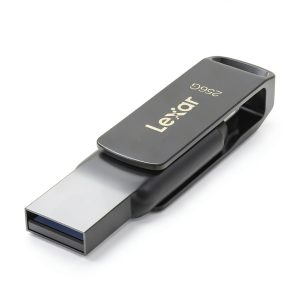
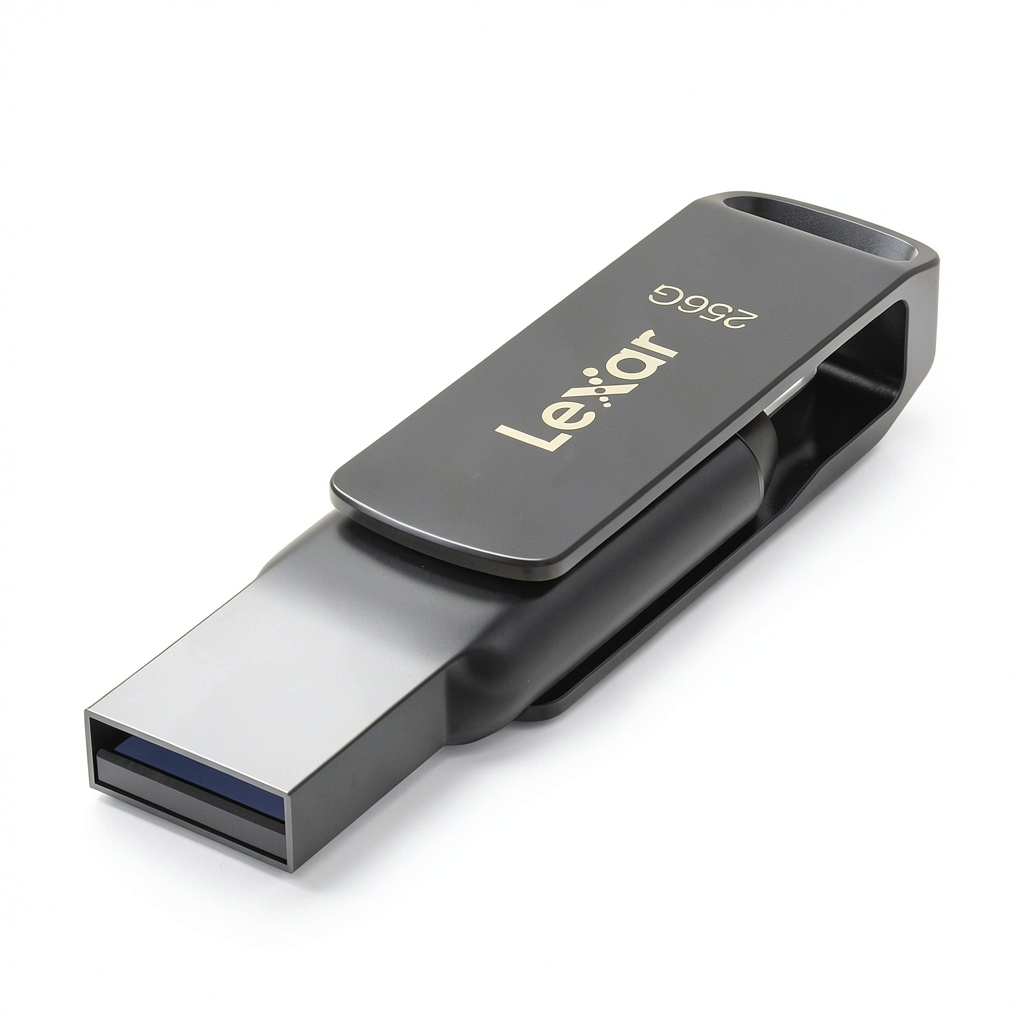
The metal housing gives it a premium feel that’s noticeably better than plastic alternatives, and the swivel design keeps both connectors protected when not in use. However, this design choice comes with durability trade-offs I’ll explore in the build quality section.
Real-World Performance & Feature Analysis
Design & Build Quality
The D400’s brushed metal exterior immediately stands out from the sea of plastic flash drives. In hand, it has a substantial feel that suggests durability, but the swivel mechanism gives me pause. Unlike slide-style designs that fully encase the connector, the swivel leaves the USB-C end partially exposed when the USB-A side is protected, and vice-versa.
During my testing, I carried the drive in a pocket with keys and other items for two weeks. While the metal body showed minimal scratching, I noticed fine dust accumulation around the swivel joint. The mechanism itself remained firm without the wobble that plagues cheaper swivel designs, but long-term durability concerns me more than with solid-body alternatives.
The keyring loop is robust and actually usable—unlike many drives where it feels like an afterthought. This makes it practical for attaching to lanyards or keychains without fear of it breaking loose.
Performance in Real Use
Lexar’s claimed 130 MB/s read speed holds up reasonably well in controlled testing with large, contiguous files. Transferring a 4GB video file from my USB-C laptop consistently achieved 115-125 MB/s, which is impressive for a drive in this category. However, real-world use rarely involves only large files.
When moving a mixed folder containing documents, photos, and small videos (typical of what most users actually transfer), performance dropped to 35-45 MB/s. This is normal for flash drives due to the overhead of managing multiple small files, but it’s important to set realistic expectations.
The performance difference between USB-C and USB-A connections was negligible on compatible devices, which speaks to good engineering. Where you’ll notice a difference is when using USB 2.0 ports—the drive will work, but at significantly reduced speeds (around 30 MB/s maximum).
One limitation worth noting: while Android support is advertised, transfer speeds vary dramatically between phone models. On a Samsung Galaxy S23, I saw respectable 80 MB/s reads, but older Android devices struggled to reach 20 MB/s.
Ease of Use
The plug-and-play functionality works exactly as advertised for basic storage. Windows, macOS, and Chrome OS recognize the drive immediately without drivers. The dual connectors genuinely save time—I found myself using the USB-C end for my laptop and USB-A for quick transfers to desktop computers without thinking about compatibility.
Where convenience suffers is with the security features. Lexar DataShield requires software installation on each computer you plan to use for password-protected access. The installation process is straightforward on Windows and macOS, but Android users are out of luck—there’s no mobile support for the encryption features.
Once installed, the security works seamlessly. You set a password, and the drive automatically encrypts new files while keeping the interface simple. The trade-off is that if you need to access protected files on a computer without the software, you’re locked out.
Durability & Reliability
After a month of regular use, the D400 has proven reliable in day-to-day operation. I haven’t experienced any disconnections during transfers, and the drive mounts consistently across different devices.
The metal housing provides good protection against minor impacts, but I have concerns about the long-term durability of the swivel mechanism. While it feels sturdy now, moving parts always present potential failure points compared to solid-body designs.
Temperature management is adequate—the drive becomes warm during extended large transfers but never hot enough to cause concern. This suggests proper thermal design, which contributes to long-term reliability.
 Dual USB Flash Drive connected to laptop showing file transfer in progress” />
Pros & Cons
Pros:
- Genuinely useful dual-connector design eliminates adapter needs
- Consistent high-speed performance with large files
- Legitimate hardware encryption with Lexar DataShield
- Premium metal build quality stands out from plastic competitors
- True plug-and-play compatibility across major operating systems
Cons:
- Premium pricing compared to single-connector alternatives
- Security software required for password protection features
- No encryption support for Android devices
- Swivel mechanism may be less durable than solid designs
- Performance drops significantly with small file transfers
Comparison & Alternatives
Cheaper Alternative: SanDisk Ultra Dual Drive Go
The SanDisk Ultra Dual Drive Go offers similar dual-connector functionality at approximately 40% lower cost. I’ve used both drives extensively, and while the SanDisk feels less premium (plastic construction), it delivers comparable real-world performance for most tasks.
Choose SanDisk if: You need basic dual-connector functionality without security features, and price is your primary concern. The retractable design may also be preferable if you’re concerned about swivel mechanism durability.
Stick with Lexar if: Data security is non-negotiable, or you prefer metal construction for better durability against everyday wear.
Premium Alternative: Samsung Duo Plus
Samsung’s Duo Plus sits at a similar price point but offers faster claimed speeds (up to 400 MB/s) and a more compact, solid-body design. In practice, the speed difference is noticeable only with very large files, but the lack of moving parts in the design appeals to durability-conscious users.
Choose Samsung if: Maximum transfer speed is your priority, or you prefer a slide-style design without swivel mechanisms. The included data migration software is also superior for whole-system backups.
Stick with Lexar if: Built-in encryption matters more than raw speed, or you specifically want the keyring attachment point that the Samsung lacks.
Buying Guide / Who Should Buy
Best for Beginners
If you’re new to dual-drive concepts or uncomfortable with technology, the D400 offers a relatively gentle learning curve. The basic storage functionality works exactly like any other flash drive, while the security features remain optional. The visual distinction between USB-C and USB-A ends prevents connection mistakes.
That said, beginners might find the security software installation process intimidating, and the premium price may not be justified if you won’t use the advanced features.
Best for Professionals
For business users, consultants, or anyone handling sensitive information, the D400’s security features justify the price premium. The automatic encryption provides peace of mind when transporting client data, while the dual connectors ensure compatibility with whatever equipment you encounter on-site.
The robust construction also better withstands the rigors of daily travel compared to budget options. If your livelihood depends on reliable, secure data transfer, this is money well spent.
Not Recommended For
Gamers or video editors working with very large files frequently should look to dedicated high-speed SSDs instead. While the D400 is competent, professional media workflows demand faster sustained write speeds.
Extreme budget constraints might make the D400 hard to justify when capable single-connector drives cost half as much. If you rarely need cross-compatibility, buy a quality USB-C drive and a separate adapter for those occasional USB-A needs.
Android-only users won’t benefit from the security features and might prefer a dedicated USB-C drive with optimized mobile performance.
FAQ
Does the password protection work on Chromebooks?
No, the Lexar DataShield software is currently available only for Windows and macOS. Chromebooks can access the drive’s unprotected storage area but cannot set up or use the password protection features.
Can I use this with my iPhone or iPad?
Only with additional hardware. Apple’s mobile devices require a special Lightning-to-USB adapter, which must be purchased separately. Even then, functionality may be limited compared to Android devices.
How does the warranty work?
Lexar offers a limited lifetime warranty, but terms vary by region. In practice, this typically covers manufacturing defects but not physical damage or normal wear. Keep your receipt, as warranty claims usually require proof of purchase.
Is the encryption really secure?
Lexar DataShield uses 128-bit AES encryption, which is the same standard used by banks and government agencies for protecting sensitive information. While no system is completely unhackable, this provides strong protection against casual data theft.
What happens if I forget my password?
The drive includes a password recovery feature that requires answering security questions set during initial setup. However, if you forget both password and answers, your encrypted data is permanently inaccessible—there’s no master override.